RDCMan configuration is easiest to manage when common settings are placed at group level and individual servers override only genuine exceptions. This approach mirrors how administrators usually manage infrastructure: define a sensible default, then record the smaller number of systems that require different behavior.
The current Microsoft documentation covers logon credentials, connection behavior, gateway options, remote desktop size, local resources and other properties. The specific tabs and fields should be treated as product configuration rather than a generic RDP checklist, because inherited values and group scope are central to how RDCMan works.
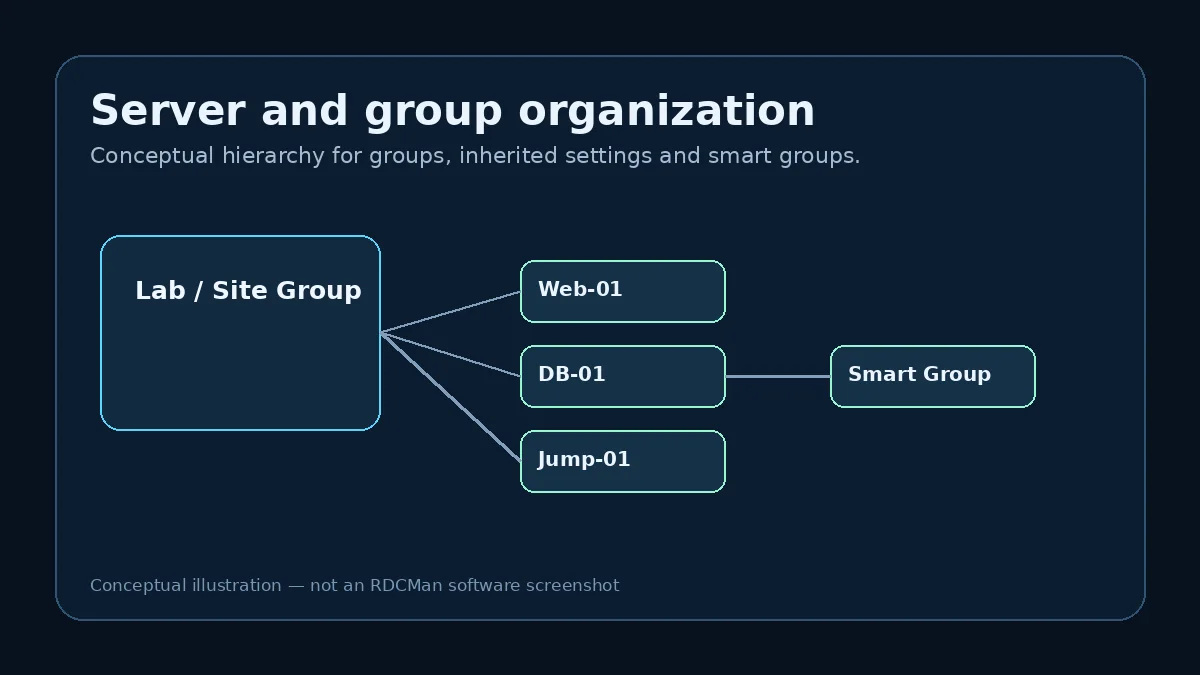
Start with inherited defaults
Before editing a server, inspect the parent group. If the group already defines the correct gateway, credentials or display preference, let the server inherit those values. Re-entering the same values locally creates future maintenance work and makes it harder to determine which level is authoritative.
When an override is necessary, keep it narrow. A server that needs a different resolution does not automatically need local copies of every other setting. The fewer unnecessary overrides you create, the easier a later group change becomes.
Configure logon and credential profiles
RDCMan can inherit logon settings or reference credential profiles. Microsoft documents encrypted password storage using either the local user context through CryptProtectData or an X.509 certificate. Use the mechanism that matches your administration model and security policy.
Credentials should be scoped deliberately. Avoid placing a highly privileged account at a parent group merely because it is convenient. The inheritance tree should reflect authorized use, not defeat least-privilege boundaries.
Set display behavior for the working style
Choose remote desktop size based on how sessions will be used—docked inside RDCMan, undocked, or frequently moved between display layouts. Microsoft notes that a connected session cannot simply be resized in place; a disconnect and reconnect is required, and RDCMan includes options to reconnect with a changed resolution in relevant scenarios.
Test display behavior on the actual administration workstation. High-DPI scaling, multiple monitors and window docking can make a setting that looked sensible on paper feel inefficient in daily use.
Review local-resource redirection
Local-resource settings determine which client-side resources are exposed to the remote session. Only redirect what the task requires. Clipboard, drives, printers and smart cards can be useful, but every redirected capability changes the boundary between the administration workstation and the remote host.
Microsoft’s FAQ specifically mentions enabling smart-card redirection in the Local Resources tab when smart-card credentials are needed. Treat such settings as security-relevant and align them with endpoint policy.
Configure Remote Desktop Gateway correctly
If your environment uses an RD Gateway, configure it at the highest group level that accurately represents the scope. Microsoft’s RDCMan FAQ says gateways must be specified as fully qualified domain names and associates that requirement with gateway error 50331656.
When a gateway connection fails, verify the FQDN, reachability, certificate and organization-specific gateway policy before changing unrelated RDCMan settings. A methodical sequence prevents “fixes” that simply hide the original problem.
Test effective settings, not only entered values
After configuration, connect to a representative server and verify the result: authentication path, resolution, resource redirection, gateway behavior and session stability. The effective configuration may include inherited values that are not obvious from a quick glance at one server’s local properties.
If the first test is correct, expand gradually. If it is wrong, inspect the inheritance chain before duplicating settings onto every server. Most configuration problems are easier to solve at the source than to mask with local overrides.
Example: separating defaults from exceptions
Assume twenty application servers use the same gateway, credential profile, and display size, but two require a different local-resource policy. Put the common values on the application-server group, then override only local resources on the two exceptions. This keeps the effective configuration easy to explain: the group supplies the normal policy and the server entry documents the reason it differs.
If instead all settings are copied locally to all twenty-two servers, a later gateway change becomes twenty-two edits and it is easy to miss one. If everything is placed on an overly broad parent, unrelated servers may inherit settings they should never receive. Good RDCMan configuration is therefore mostly a scoping problem.
Validate the effective configuration after changes
A settings dialog tells you what is entered at one level; a real connection tells you what the server actually receives after inheritance and policy. Test representative hosts after changing a parent. Confirm authentication, gateway routing, resolution, and redirected resources rather than stopping when the settings window looks correct.
For security-sensitive changes, record the parent group and affected scope in the change note. This makes it easier to reverse a mistake and helps another administrator understand why multiple connections changed at the same time.
Configuration review template
For each major group, a lightweight review can record the connection target pattern, credential source, gateway setting, display default, local-resource policy, and known server-level exceptions. This makes inheritance visible without copying every property into separate documentation. When a parent setting changes, the reviewer can identify the expected scope before saving the RDG file and choose representative children for validation.
Keep exceptions explainable. If a server overrides a parent value, the reason should still be valid: different gateway route, special display requirement, separate credential boundary, or task-specific redirection. Remove overrides that survived a migration but no longer serve a purpose. A configuration tree with fewer justified exceptions is easier to troubleshoot than one where every server carries a complete private copy of old defaults.
Practical checklist
- Define defaults at group level.
- Use credential scope that matches least privilege.
- Test display behavior on the real admin workstation.
- Redirect only required local resources.
- Use an FQDN for RD Gateway and test effective inherited settings.