Groups are the structural backbone of RDCMan. They determine how the server tree is organized, which connections can be operated together and where shared settings can be defined. A well-designed group model makes a large connection catalog easier to navigate; a poor one spreads exceptions and duplicate configuration everywhere.
Microsoft’s current documentation states that standard groups are homogeneous: a group can contain groups or servers, but not both. That rule is easy to overlook when sketching a hierarchy, so it should be part of the design from the beginning.
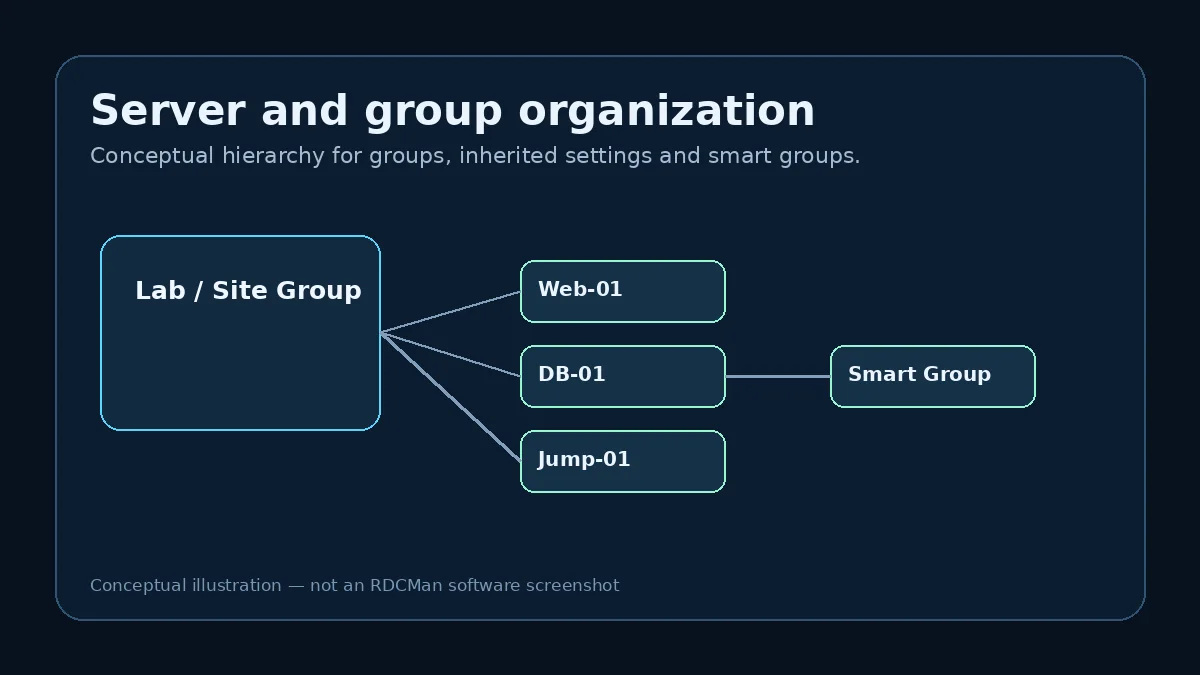
Choose a grouping model that matches operations
Good groups reflect stable boundaries. Environment, site, business service, lab or administrative ownership can work if those boundaries also make sense for inherited settings. Avoid a hierarchy that changes every time a project name changes or an incident is opened.
For example, an organization might have a top-level Production group containing child groups for Web, Application and Database. The nested groups can hold servers, while shared production gateway or credential preferences can live higher in the tree if appropriate.
Understand homogeneous group structure
A standard group cannot mix child groups and server entries at the same level. If you need both a category and direct servers, add another level. This constraint may initially seem restrictive, but it leads to cleaner, more predictable trees.
Plan around the rule before bulk imports. Retrofitting hundreds of servers into a new hierarchy is possible, but it is more error-prone than establishing the levels first.
Put shared settings at the right level
Inherited settings are powerful when the parent truly represents a shared policy. Put a gateway setting on a parent only when all intended children should use that gateway. Put a credential profile at a shared level only when the account scope and security policy justify it.
Too many server-level overrides are a sign that the group may be too broad. Too many tiny groups can be the opposite problem. The aim is a hierarchy where the default is correct for most children and exceptions are visible rather than hidden in duplicated fields.
Use group commands carefully
RDCMan can connect or disconnect all servers in a group with one command. This is useful for labs and repeatable workflows, but it also expands the blast radius of a click. Before using group operations, confirm that the group contents are current and that opening many sessions is operationally appropriate.
In production, many administrators prefer selective connection even when the group command exists. The grouping feature is still valuable for organization and inheritance without requiring every group to be operated as one unit.
Smart and virtual groups are alternate views
Microsoft documents smart groups and virtual views such as Connected, Reconnect, Favorites, Connect To and Recent. These can improve navigation when the question is “what am I connected to now?” rather than “where is this server in the permanent tree?”
Keep the distinction clear: virtual views help you work with state or usage, while the saved hierarchy remains the foundation for configuration and maintenance.
Change groups with an inheritance review
Moving a server between groups can change more than its position in the tree. Review the effective credentials, gateway, display and local-resource settings before and after a move. If the server requires exceptions, document why they exist rather than silently recreating every previous value.
Back up important RDG files before large restructures. A hierarchy cleanup is exactly the kind of configuration edit that is easy to make in bulk and annoying to reverse manually.
Example: choosing hierarchy levels
A practical hierarchy might begin with Production, Test, and Lab. Under Production, child groups could represent major services; those service groups can then contain the server entries. This shape respects the homogeneous group rule while giving production-wide settings a possible parent location and service-specific exceptions a narrower level.
Another organization may group first by site because gateway routing and credentials differ geographically. Both models can be correct. The best hierarchy is the one where the operational boundary and the inherited-setting boundary mostly agree. If every child immediately overrides the parent, the parent is probably too broad or the grouping dimension is wrong.
Review group changes like configuration changes
Moving a server is not merely a visual reorganization because its effective settings may change with its parent. Before a large cleanup, back up the RDG file and identify high-impact parent settings—credentials, gateway, local resources, and display behavior. Move a small subset first and test the results.
After restructuring, search for unusual server-level overrides left behind from the old design. A cleaner hierarchy should usually reduce overrides rather than preserve every historical exception. If the number of overrides increases, revisit the grouping model before expanding the change.
Group design questions before a restructure
Before changing a mature tree, ask which dimension currently drives navigation, which parent settings depend on the existing hierarchy, and which group-level actions operators actually use. Then sketch the proposed levels with the homogeneous group rule in mind. Mark where credentials, gateways, display defaults, or resource policies would live. If the new structure requires many exceptions immediately, revise the sketch before touching the production RDG file.
During the change, keep a backup and move a small branch first. Confirm effective settings and test connections before repeating the pattern. Afterward, have another administrator find several servers and explain which settings they inherit. If the answer is not obvious, the hierarchy may be technically valid but operationally unclear. A good group design should be understandable without reading a separate diagram every time.
Practical checklist
- Use stable operational boundaries for groups.
- Respect the group-or-server homogeneous structure.
- Place shared settings only where the scope is truly shared.
- Treat group commands as high-scope operations.
- Review inherited settings whenever a server changes groups.