Credential reuse is one of the reasons administrators adopt a connection manager: changing one lab account is easier when a shared profile can be updated once instead of editing every server. RDCMan supports that workflow through inherited logon settings and credential profiles.
Microsoft documents password storage that uses CryptProtectData under the locally logged-on user’s authority or an X.509 certificate. This is an important protection detail, but it does not turn RDCMan into an enterprise privileged-access-management platform. Access design, least privilege and workstation security still determine the overall risk.
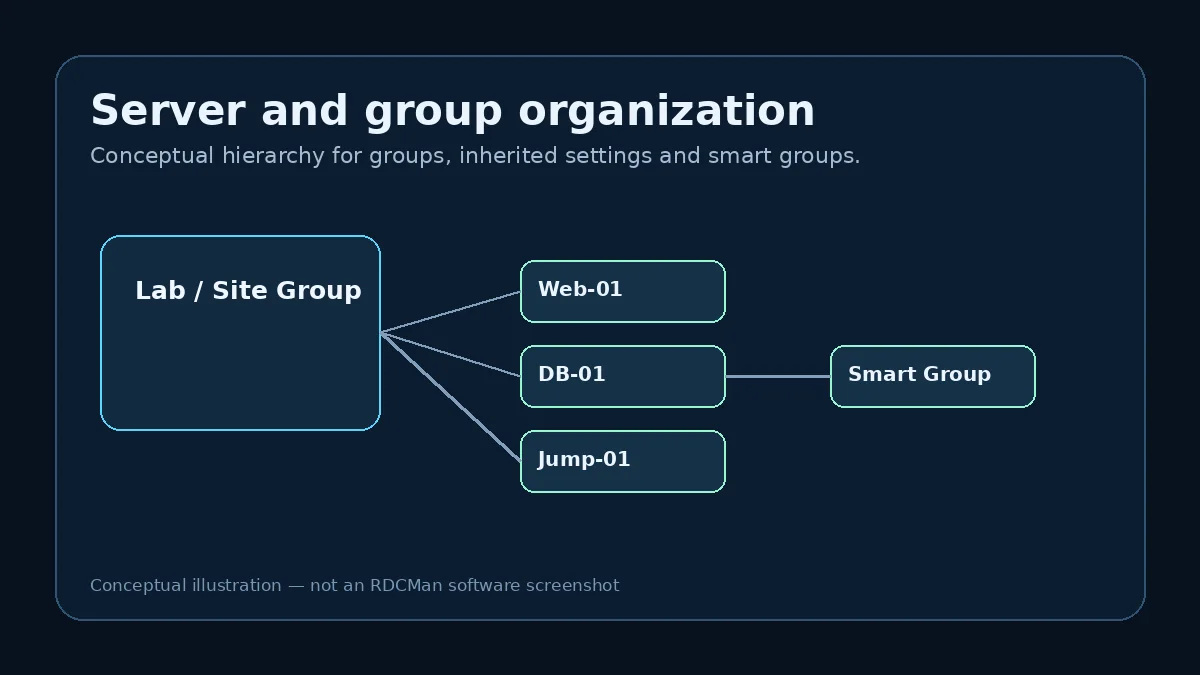
How inherited logon settings reduce duplication
A parent group can supply logon information to child servers. When a set of lab systems legitimately shares an administration account, the value can be maintained at the group level instead of copied into every connection definition.
Inheritance should follow authorization boundaries. If only part of the group should use a privileged account, split the group or use a narrower credential profile rather than distributing the account broadly for convenience.
Credential profiles as reusable identities
Credential profiles provide a named way to reuse logon details. They are useful when the same operator identity is used across several connection groups or when an account changes regularly and administrators want one maintenance point.
Use profile names that describe scope rather than exposing secrets. A label such as “Lab admin” is more durable than embedding a password rotation date or an individual’s personal notes.
What Microsoft says about password protection
The current RDCMan page says passwords are stored securely by encrypting with either CryptProtectData using the locally logged-on user’s authority or an X.509 certificate. That means the protection model is tied to Windows cryptographic mechanisms rather than plain-text storage.
The security outcome still depends on access to the workstation, the user context, certificate handling and surrounding controls. An administrator workstation with a compromised account is a different risk scenario from an encrypted file at rest.
Protect the RDG file and the workstation
An RDG file can reveal infrastructure metadata even if password material is encrypted. Limit file access to people who need the connection catalog and avoid copying it to uncontrolled sync folders, public repositories or shared drives with broad permissions.
The workstation running RDCMan should follow the same hardening expectations as other administration endpoints. Keep Windows updated, use endpoint protection, restrict local administrative rights where feasible and separate high-privilege administration from routine browsing when your organization’s model requires it.
Avoid over-broad privileged credentials
A connection manager can make one credential available to many hosts very quickly. That convenience can increase blast radius if the account is overly privileged. Prefer task-appropriate identities and separate environments when the risk profile differs.
Where a dedicated privileged-access system is required for approvals, checkout, auditing, rotation or session governance, use that system rather than expecting RDCMan credential profiles to provide those enterprise controls.
Credential changes and troubleshooting
When a password changes, update the shared profile or inherited logon setting at the intended scope, then test a representative server before assuming every target is correct. Authentication failures can also come from account lockout, domain trust, policy or gateway credentials, so do not repeatedly overwrite a stored password without checking the error context.
If a copied RDG file behaves differently on another workstation, remember that the encryption context or certificate availability may differ. Validate the credential mechanism as part of the migration.
Example: rotating a shared lab credential
A lab account used on thirty non-production hosts is due for a password rotation. If all thirty servers inherit a correctly scoped credential profile, the administrator can update the profile once and test a representative subset. If ten servers have unnecessary local copies of the credential, the same rotation becomes an inconsistent manual task.
This is the maintenance advantage of inheritance—but only when the account is legitimately shared across that scope. A production domain administrator credential should not be placed on a broad parent simply to gain the same convenience. Credential architecture comes before connection-manager efficiency.
Plan for credential recovery and workstation change
Because Microsoft documents local-user and X.509-based protection mechanisms, teams should know what happens if an administration workstation is rebuilt, a user profile is lost, or a certificate changes. Do not discover the recovery model during an outage.
Keep the authoritative credential lifecycle in the organization’s identity or privileged-access system. RDCMan should reference or store only what policy allows. When moving an RDG file, validate access to any required certificate and confirm that a copied configuration does not leave operators with apparently populated but unusable credential entries.
Credential runbook fields worth documenting
For each shared credential profile, document the intended scope, owning identity system, privilege level, rotation process, recovery owner, and which RDCMan groups are permitted to reference it. Do not put the password itself in the runbook. This metadata helps administrators decide whether a parent-level credential is appropriate and makes it easier to spot a profile that has expanded beyond its original purpose. A profile called “Lab Admin” should not quietly become the default for production months later.
Include workstation and certificate dependencies where relevant. If the team uses X.509-based protection, know which certificate is required and how it is restored after a workstation rebuild. If protection relies on the local user context, document the operational consequence of changing users or moving files. Periodically test a representative connection after credential rotation so a configuration problem is discovered during planned maintenance rather than during an outage.
Practical checklist
- Scope credentials according to least privilege.
- Use shared profiles only for genuinely shared authorization.
- Protect RDG files as sensitive infrastructure metadata.
- Harden the workstation that runs RDCMan.
- Use enterprise PAM controls when approvals, vaulting or auditing are required.