The moment a connection list becomes difficult to scan, RDCMan needs an information architecture rather than more entries. The best organization scheme is one that helps an administrator answer three questions quickly: where is the server, what settings should it inherit, and how risky is an action on the surrounding group?
RDCMan supports hierarchical groups and alternate virtual or smart views, so permanent organization and day-to-day navigation can be separated. Use the permanent tree for stable structure and inherited policy; use views such as Favorites, Recent or Connected for fast operational access.
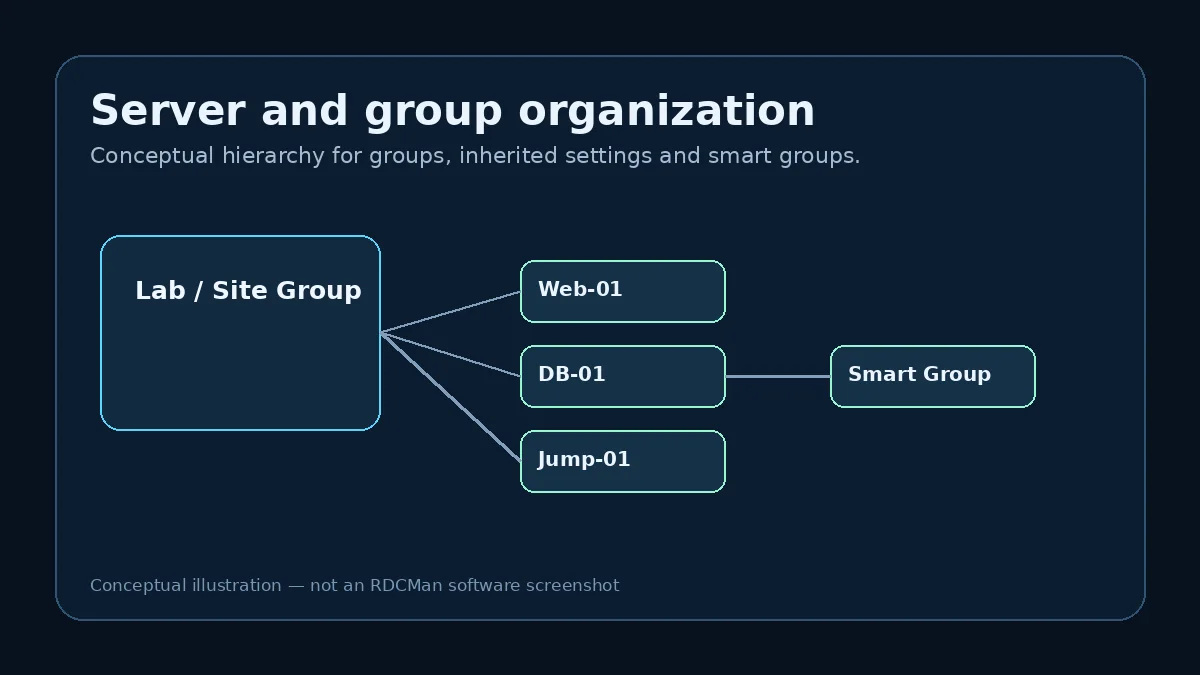
Group by stable boundaries, not temporary tasks
Environment, site, service role and administrative ownership are usually more durable than ticket numbers or project phases. A stable group structure reduces constant moving and helps operators form a mental model of the estate.
Choose one primary dimension at each level. Mixing region, application, person and urgency at the same level produces a tree that no one can predict. If another dimension is important for navigation, use naming conventions or virtual views rather than forcing every classification into the permanent hierarchy.
Use naming conventions that reduce wrong-host risk
Connection names should make critical distinctions visible. Production and test systems should not be separated only by a subtle suffix if operators frequently switch between them. Add enough context to the display name to support a correct choice without turning every label into a sentence.
Use the actual connection target for reachability and the display name for human recognition. Consistency is more important than a particular naming formula.
Let inheritance reduce repetitive configuration
When a group represents a real shared policy, define the common gateway, credential profile, display or resource preferences there. This means a newly added child starts closer to the correct configuration and a later change can be applied in one place.
Review exceptions periodically. A server-level override that was necessary during a migration may remain forever unless someone removes it. Too many historical overrides make the tree appear organized while behavior becomes inconsistent underneath.
Use Favorites, Recent and Connected as working views
Microsoft documents virtual groups including Favorites, Recent and Connected. These are useful because the server you need most often is not always the one that belongs at the top of the permanent hierarchy.
Favorites can represent a personal working set, Recent can speed repeated tasks, and Connected can help you review active sessions. These views support navigation while preserving a clean structural tree.
Control the size and scope of group actions
A group can be operated as a unit, including connect and disconnect actions. Large or mixed-purpose groups increase the consequence of those commands. If a group is so broad that you would never intentionally act on all its members, consider whether it is serving the right operational boundary.
This does not mean every group must be small. It means the meaning of the group should be clear enough that a group-level action is understandable before it is executed.
Schedule maintenance for the connection catalog
Remove retired systems, correct renamed hosts and review unusual overrides. A quarterly or change-driven cleanup is enough for many environments. The objective is not cosmetic perfection; it is preserving operator trust in the catalog.
When the tree reflects reality, the connection manager reduces cognitive load. When it accumulates stale entries, it becomes another source of uncertainty during an incident.
Example: reducing a 150-server tree
A 150-server tree becomes usable when the operator can predict where a host belongs. One effective cleanup starts by removing retired entries, then selecting a primary hierarchy such as Environment → Service → Server. Display names are normalized so production and test are obvious, and only settings shared by the whole service group remain inherited at that level.
Frequently used servers are marked through Favorites instead of being moved into a special “Daily” group that would break the structural hierarchy. Recent and Connected views provide temporary working context. This separation—stable permanent tree, flexible operational views—keeps the catalog understandable as usage changes.
Measure organization by time-to-correct-target
A useful connection tree is not the one with the prettiest folder names; it is the one that helps an administrator reach the correct server quickly and with the correct settings. During a review, ask another operator to find a few representative systems without guidance. If they repeatedly search the wrong branch or cannot distinguish production from test, revise the naming or hierarchy.
Also inspect group-level commands. If an operator would be uncomfortable connecting or disconnecting the entire group because its members are too unrelated, the group may be serving presentation rather than an operational boundary.
Govern the connection catalog like a small operational dataset
Assign simple maintenance ownership to the connection catalog. New server entries should use the naming convention, retired systems should be removed, group moves should trigger an inheritance check, and parent settings should be reviewed before they are broadened. If several administrators maintain the same RDG file, agree on who performs large imports or restructures so conflicting copies do not become the new source of truth.
A quarterly review does not need to inspect every field. Sample each major group, look for stale hosts, check unusual overrides, test a few representative connections, and compare the catalog with the authoritative inventory system. Track repeated exceptions because they may show that the group model no longer matches the environment. The purpose of governance is to keep the tree trustworthy enough that an operator can act quickly without maintaining a private shadow list.
Practical checklist
- Use one clear grouping dimension at each level.
- Make production/test distinctions obvious in display names.
- Review inherited defaults and stale overrides.
- Use virtual views for working sets instead of reshaping the permanent tree.
- Remove retired or renamed servers promptly.